Migrate UniFi Site
Task: Migrate UniFi Site from one controller to an instance running on another device. This not only migrates settings, but manage setting the inform URL on all devices on the network without manually updating it. This guide covers version 6.1.71 of the UniFi Controller.
UniFi - Migrating Sites with Site Export Wizard – Ubiquiti Support and Help Center
- Backup the current controller and update the controller to the latest version.
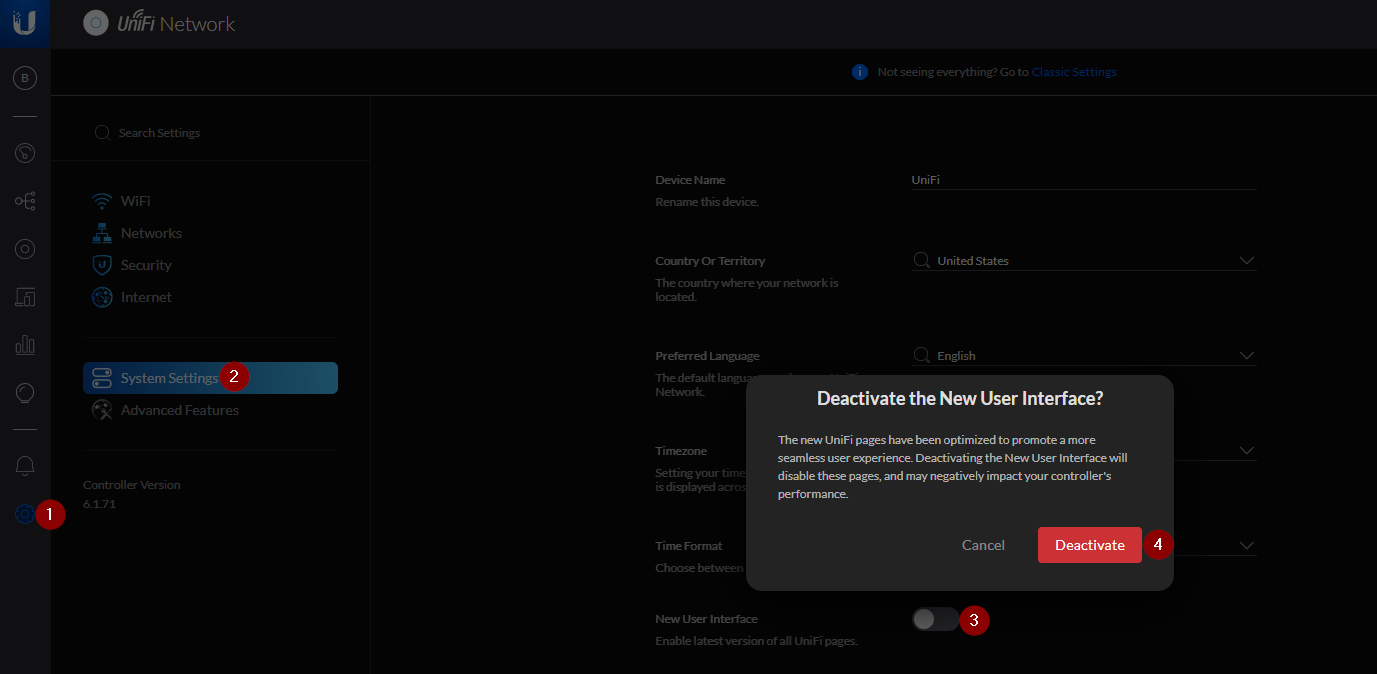
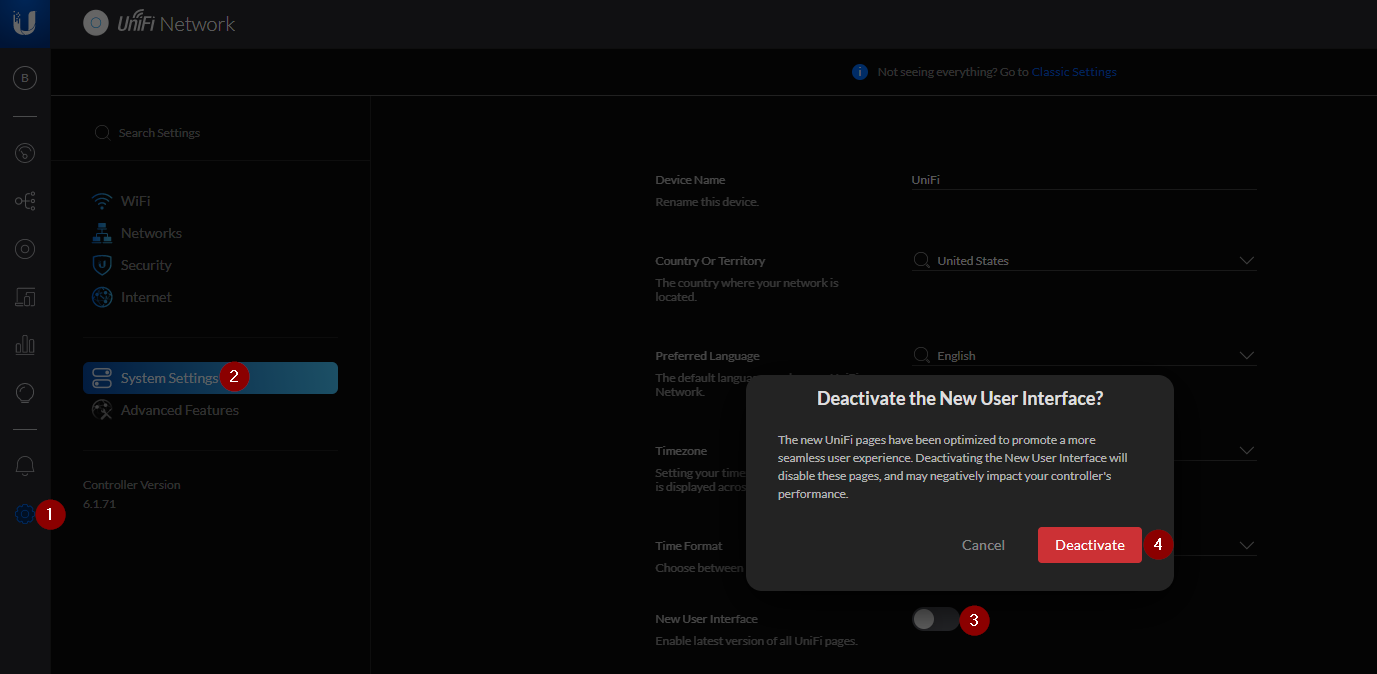
- The migrate site option is not available in the new menus so you will need to evert to the classic view by going to Settings > System Settings > New User Interface and toggling it off. Click deactivate to confirm. The Classic Settings button at the top of the page is not working for several people during the time of writing. Repeat on the new controller as well.
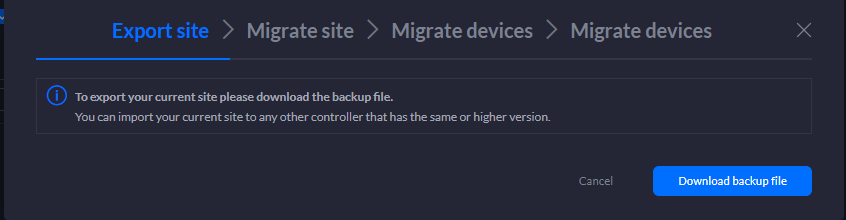
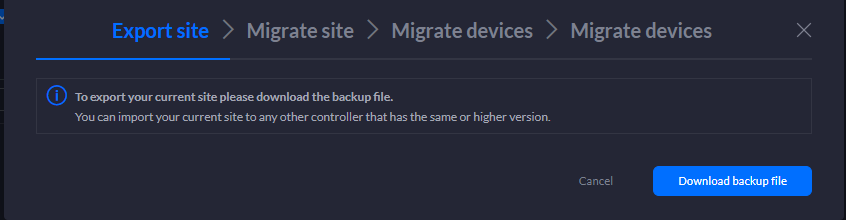
- Ensure the new controller is available. In the source controller go to to Settings > Site > Export Site. As you can never have enough backups, download another copy.
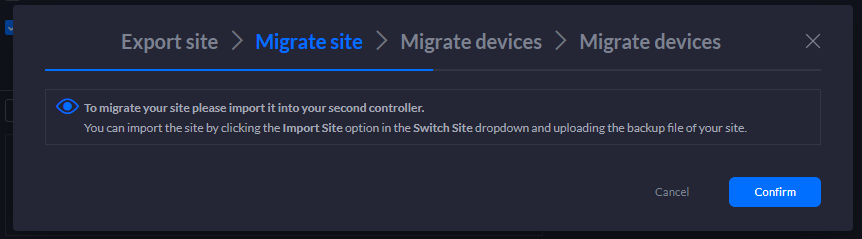
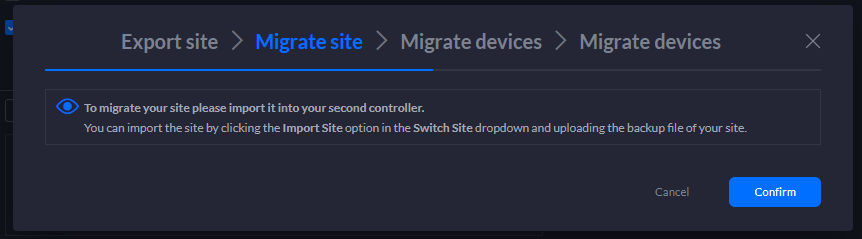
- Next you will need to import the site into the destination controller.
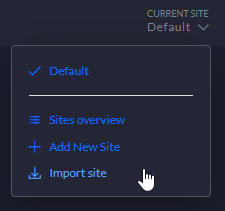
- Name the site and select your backup file.
- Go back to the source controller, and click Confirm.
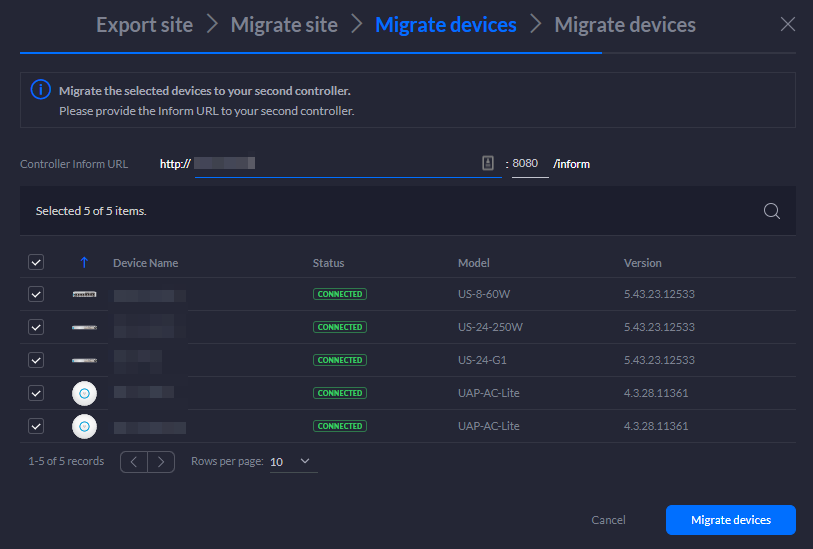
- Enter the IP of the destination controller in the inform URL section. Select all or select devices to migrate and press the migrate button.
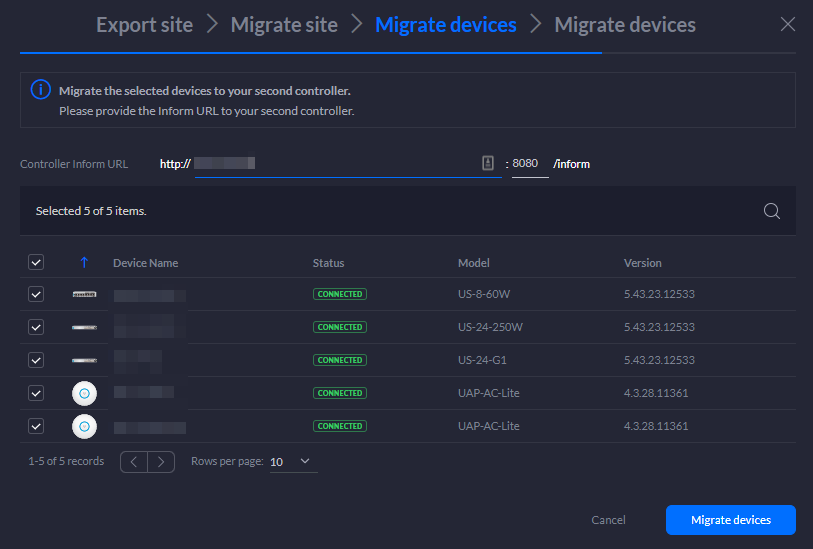
- Once devices are migrated they will show up in the new controller. Verify all devices are present and that everything looks good.
- Go to the source controller and forget the devices. The old controller can now be powere